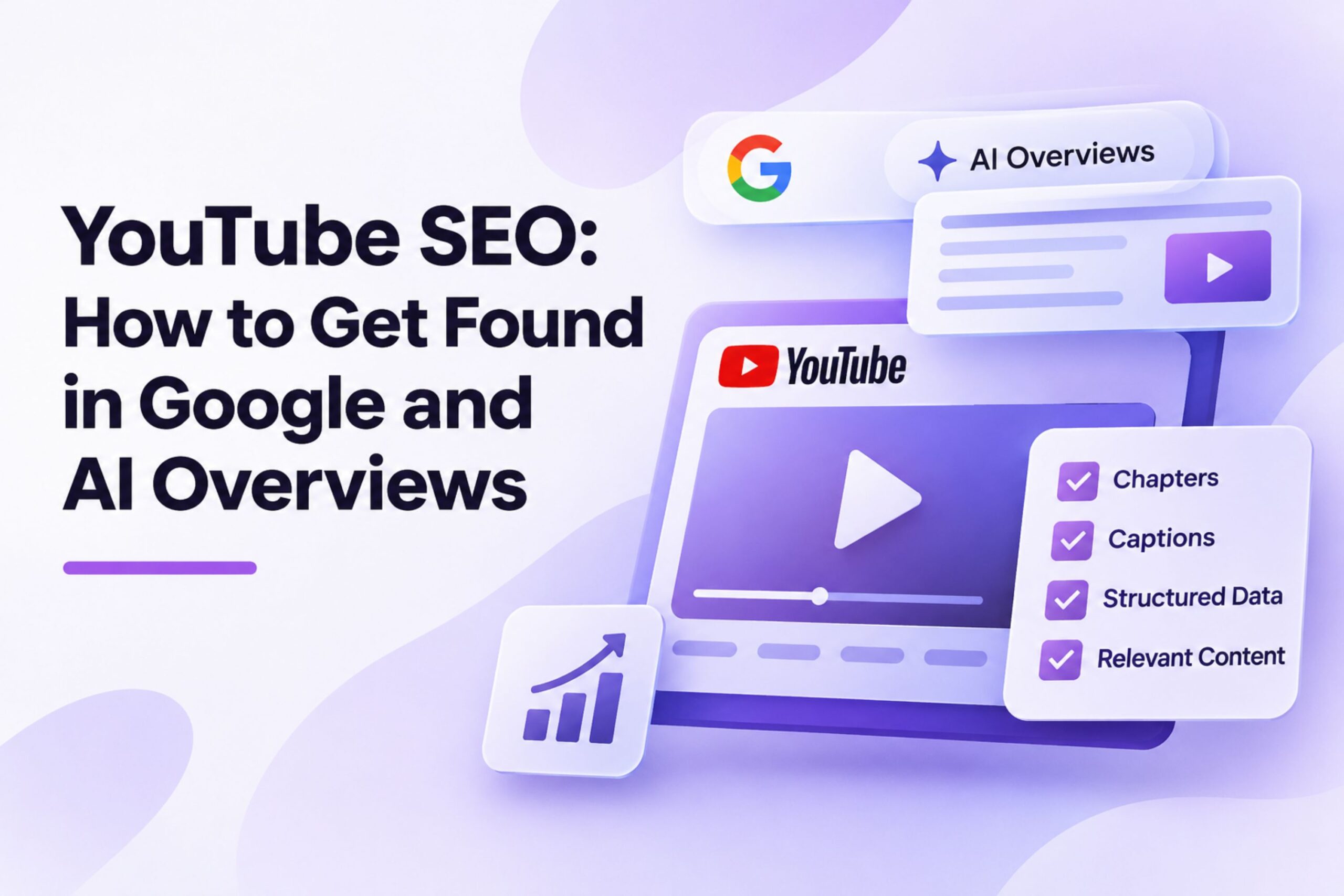
YouTube videos can appear in Google Search results, Google Images, Discover, and dedicated video search results. They can also contribute to a brand’s visibility across search experiences that use AI to generate answers.
For businesses, this creates another opportunity to reach potential customers through video content. A well-optimised video can attract viewers directly from YouTube while supporting the visibility of related website content.
However, uploading a video does not guarantee Google indexing or inclusion in an AI Overview. Search visibility depends on factors such as content relevance, accessibility, indexing, and information quality.
YouTube SEO therefore requires more than adding keywords to a title. Businesses need to make videos discoverable, provide accurate information, and connect video content with their wider digital presence.
How YouTube Videos Appear in Google Search
Google can display video content in several search experiences:
- Main search results: Videos can appear alongside web pages and other content.
- Video mode: Users can explore video results related to a search query.
- Google Images: Relevant video content can appear in image search results.
- Google Discover: Eligible video content can appear in personalised recommendations.
- Key moments: Google can display specific video segments, allowing users to navigate directly to relevant information.
Google can discover videos hosted on YouTube and videos embedded on websites. The YouTube watch page and a website page containing an embedded video may both appear in Google video search features if they meet the relevant requirements.
For businesses, this creates two potential discovery paths: viewers can find the original video on YouTube or discover related website content through Google Search.
The format also matters. A tutorial, product demonstration, interview, or expert explanation can answer questions that are difficult to address through text alone. Choosing the right format is part of developing an effective social media content strategy.
How Video Chapters Help Google Identify Relevant Content
Video chapters divide a recording into sections with individual titles and timestamps. They help viewers navigate longer videos and find the information they need without watching the entire recording.
Google supports YouTube timestamps for identifying key moments in video search results. It can also automatically detect important segments.
For example, a video titled “How to Develop a Social Media Marketing Strategy” could contain these chapters:
- 00:00 – Social Media Marketing Strategy
- 01:30 – Audience Research
- 03:45 – Choosing Social Media Platforms
- 06:20 – Content Planning
- 09:10 – Measuring Campaign Performance
Each chapter identifies a specific subject within the video.
YouTube Chapter Requirements
To create manual chapters, YouTube requires:
- The first timestamp to start at 00:00.
- At least three timestamps in ascending order.
- Each chapter to last at least 10 seconds.
- A descriptive title for each timestamp.
Creators add timestamps and titles directly to the video description.
These requirements apply to YouTube chapters. Google can also identify key moments automatically, so manually adding chapters doesn’t guarantee they will appear in search results.
YouTube SEO Elements That Matter for Google Search
Google needs clear information about a video’s subject and enough technical access to discover and process it. Businesses should focus on the following elements.
1. Video Titles and Descriptions
A video title should describe its actual content and match the target audience’s search intent.
For example:
Weak title: Our Latest Digital Marketing Tips
Better title: How to Measure Social Media Engagement: Metrics and Examples
The second title identifies the subject and tells viewers what they’ll learn.
Descriptions should summarise the video, identify its main topics, and include relevant links. Avoid repeating keywords unnecessarily or adding unrelated search terms.
2. Accurate Captions and Subtitles
Captions display spoken content as text and make videos accessible to viewers who cannot or prefer not to listen to audio.
YouTube offers automatic captions for supported languages, but automatic transcription can contain errors. Review captions, particularly when videos include brand names, technical terminology, statistics, and product names.
For multilingual businesses, provide accurate captions in the languages used by their target audiences.
Captions improve accessibility and the viewing experience. They should not be treated as a guaranteed Google ranking factor or a shortcut to AI citations.
3. Video Thumbnails
A thumbnail represents the video on YouTube and other discovery surfaces.
Use an image that accurately reflects the subject, with a clear visual focus and readable design. Avoid misleading images that promise information the video does not contain.
For videos embedded on a website, Google also requires an accessible, stable thumbnail URL for video indexing eligibility.
4. Video Content and Search Intent
The video must answer the question suggested by its title.
If a business targets the keyword “quartz vs. granite countertops,” the video should compare relevant characteristics such as durability, maintenance, appearance, and cost.
Specific explanations, demonstrations, and real examples make content more useful than generic promotional statements.
Research search queries before recording and organise the video around the information viewers actually need. Audience conversations and social media listening data can help identify recurring questions, customer concerns, and subjects worth covering in future videos.
5. Consistent Video Metadata
The video title, description, thumbnail, captions, and website information should accurately represent the same subject.
Avoid using different descriptions or unrelated keywords across platforms.
Consistent metadata makes it easier for viewers to identify relevant content and helps search engines interpret the information associated with the video.
VideoObject Schema: Helping Google Understand Website Videos
Businesses that embed YouTube videos on their websites can use structured data to provide Google with additional information about the video.
The main schema type is VideoObject.
Relevant properties include:
| Property | Purpose |
|---|---|
name | Video title |
description | Video summary |
thumbnailUrl | Video thumbnail |
uploadDate | Publication date |
duration | Video length |
contentUrl | Direct URL to the video file, when available |
embedUrl | URL of the video player |
Google uses this information to help identify video content and determine eligibility for video search features.
However, adding schema does not guarantee indexing or enhanced search appearances.
When Should a Business Use VideoObject Schema?
Consider a company publishing an article about social media analytics with an embedded YouTube video.
If the video supports the article rather than serving as its main content, the page is generally not considered a dedicated video watch page.
For Google video indexing, a dedicated watch page should make watching one particular video its primary purpose.
A video landing page, for example, can qualify when its main purpose is to let visitors watch an individual video. A blog article reviewing the same video does not automatically qualify.
Google also supports Clip and SeekToAction structured data for identifying video segments on eligible website pages.
How YouTube Content Can Support AI Search Visibility
Google AI Overviews use Google’s search systems to generate responses and link to relevant sources. Google confirms that its AI search features rely on existing Search systems and that standard SEO practices remain relevant.
Businesses do not need a separate set of YouTube ranking tricks specifically for AI Overviews.
Instead, video should form part of a wider content strategy that gives search engines and users access to useful, consistent information.
For example, a digital marketing agency publishing a video about social media advertising could create several connected content assets:
- A YouTube video explaining campaign objectives, targeting, and performance metrics.
- A website article covering the same subject in greater detail.
- A case study showing actual campaign results.
- Short video extracts for LinkedIn and Instagram.
- Links between relevant website pages and the video.
The video can demonstrate the strategy, while the article provides additional explanations, examples, and supporting information. A related social media marketing case study can add evidence of how a particular approach performed.
This approach gives the brand multiple ways to communicate its expertise.
A YouTube video may appear in Google video results, while the accompanying article may appear in traditional search results or AI-generated search experiences.
However, Google does not guarantee that AI Overviews will cite a particular video, YouTube channel, or brand. Video SEO should support broader organic visibility rather than serve as a standalone AI ranking strategy.
Google’s guidance on optimising websites for AI search features emphasises useful, original content, technical accessibility, and established SEO practices rather than special AI optimisation tricks.
How to Measure YouTube SEO Performance
Businesses should measure video search performance separately from general YouTube engagement.
Three tools provide useful data.
YouTube Studio
YouTube Analytics provides information about:
- Video impressions and click-through rate.
- Views and watch time.
- Average view duration.
- Audience retention.
- Traffic sources.
- Search terms that bring viewers to videos.
These metrics show how people discover and interact with video content.
Google Search Console
The Search Console Performance report helps businesses evaluate Google Search visibility.
The Search Appearance filter can identify video-related search appearances when applicable. Website owners can also monitor impressions, clicks, and queries for relevant pages.
The Video indexing report provides information about video indexing issues on eligible websites.
Google Analytics 4
Google Analytics 4 helps measure website visits and conversions associated with YouTube traffic.
Businesses can track:
- Sessions from YouTube.
- Engagement with landing pages.
- Form submissions.
- Product enquiries.
- Purchases and other conversions.
For a broader evaluation of campaign results, combine these figures with the social media metrics that matter most. This helps distinguish video popularity from measurable business outcomes.
Common YouTube SEO Mistakes
Several mistakes can prevent businesses from getting the full value of their video content.
Using vague titles: Generic titles don’t communicate the video’s subject or match specific search queries.
Ignoring timestamps: Long videos without chapters are hard to navigate. Relevant timestamps make important sections easier to find.
Publishing inaccurate captions: Automatic transcription errors can reduce accessibility and misrepresent technical information.
Embedding videos without considering indexing: An embedded YouTube player does not automatically make a blog post eligible for Google’s video search features.
Adding incorrect structured data: VideoObject markup must accurately describe the video and follow Google’s eligibility requirements.
Creating promotional videos without useful information: Videos that only advertise a company or repeat generic claims offer little value to people searching for practical answers.
Expecting AI citations from YouTube optimisation alone: Google does not guarantee AI Overview inclusion based on video publication, metadata, or chapter formatting.
FAQs
1. Can a YouTube video rank in Google if the business does not have a website?
Yes. A public YouTube video can appear in Google Search even if the creator doesn’t own a separate website. The YouTube watch page can serve as the destination in search results. A website adds another channel for publishing related information, collecting enquiries, and converting visitors.
2. Should businesses create a separate YouTube channel for each product or service?
Not necessarily. Most businesses benefit from organising related videos within one main channel using playlists. Separate channels make more sense when products target substantially different audiences, require different languages, or operate as distinct brands. Unnecessary splits can fragment subscribers and complicate channel management.
3. Does the number of YouTube subscribers affect Google video rankings?
Google does not identify subscriber count as a direct requirement or guaranteed ranking factor for video indexing. Subscriber numbers can indicate audience size, but they do not establish that a video is relevant to a particular search query. Businesses should prioritise the relevance and quality of individual videos.
4. Can an unlisted YouTube video appear in Google Search?
Unlisted videos are not normally discoverable through YouTube search, recommendations, or the public channel page. However, anyone with the link can view and share them. Businesses should use public videos when they want to maximise ordinary search discoverability.
5. Is it better to upload a video directly to a website or embed it from YouTube?
The best choice depends on the video’s purpose. YouTube hosting offers access to its audience, built-in analytics, and an established distribution platform. Self-hosting provides more control over the player and hosting environment but requires video delivery infrastructure and technical maintenance. Businesses can also use both approaches where appropriate.
6. Can the same YouTube video be embedded on several website pages?
Yes. A business can embed the same video on different relevant pages. However, the video should genuinely support the content of each page. Adding the same video to unrelated pages solely to increase its presence does not provide meaningful SEO value.
7. Does changing a YouTube title affect its existing Google ranking?
Changing a title can affect how viewers and search engines interpret the video’s subject. A more accurate title may improve relevance and click-through rate, but a change does not guarantee improved rankings. Avoid changing titles simply to insert additional keywords when the existing title already describes the content accurately.
8. Can live YouTube streams appear in Google Search?
Yes. Public livestreams can be eligible for Google’s Live Badge when the relevant structured data and technical requirements are met. Google supports BroadcastEvent structured data for this purpose and recommends using the Indexing API to help it discover live content promptly.
9. Should businesses translate YouTube videos for international audiences?
Translation can help businesses reach viewers who search in different languages. Consider localized titles, descriptions, subtitles, and audio tracks where appropriate. The translated content should accurately reflect the original video and use terminology familiar to the target audience.
10. How long does Google take to index a YouTube video?
There is no fixed indexing timeframe. Google discovers and processes content according to its crawling and indexing systems. Some videos may appear relatively quickly, while others may take longer or never be indexed. Publication alone does not guarantee inclusion.
11. Can businesses use customer testimonials and influencer videos for YouTube SEO?
Yes. Customer testimonials and influencer collaborations can provide useful product demonstrations, firsthand experiences, and answers to purchase-related questions. Businesses should get permission to publish the material, disclose paid partnerships where required, and ensure testimonials accurately reflect genuine customer experiences.
YouTube SEO gives businesses another way to reach audiences through Google Search. Descriptive titles, accurate captions, meaningful chapters, relevant video content, and technically accessible video pages all contribute to discoverability.
For brands investing in AI search visibility, YouTube should complement website SEO, expert content, and consistent brand information. The objective is to make useful content accessible across the search platforms where potential customers look for answers.
🚀 Subscribe for fresh strategies—🆕 new articles straight to your inbox, ✅ zero clutter.